Street View
Explore places through 360-degree street-level imagery, whether you're looking at locations in your town or across the globe.
Using Street View
Street View in Google Maps lets you explore places through 360-degree street-level imagery, whether you’re looking at locations in your town or across the globe. With Street View, you can check out a restaurant before going there, find beautiful places around the world to visit on your next vacation, or check out neighborhoods when you’re looking to move.
Getting Started
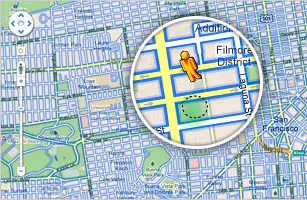
-
To view street-level imagery in Google Maps, click and drag Pegman
 to the place you want to see. Roads with Street View imagery will appear with a blue border.
- You can also enter Street View by zooming in all the way, for areas where Street View imagery is available.
To get started with Street View, visit Google Maps.
For more information, please check out the Google Maps User Guide.
Navigating in Street View
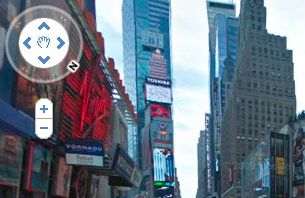
Rotate
To rotate your view in Street View:
-
 Use the wheel in the control panel in the top left corner
-
 or use the left and right arrows on your keyboard
-
 or click and drag with your mouse.
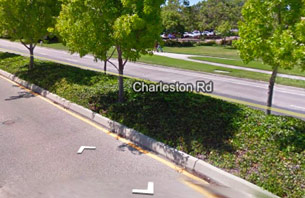
Walk
To walk down a street:
-
 Click on one of the white arrows overlaid on the street
-
 or use the up and down arrows on your keyboard.
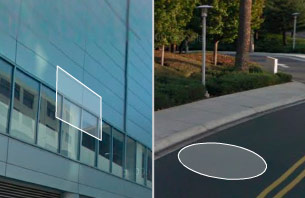
Jump
To jump and view a place:
-
 Click on the rectangular ‘waffle’ or circular ‘pancake’ shape lying flat where your mouse is pointing.
-
 When there is a magnifying glass within the pancake, clicking it will zoom in on the current image.

Exit
To exit Street View:
-
Click
 on the top right corner
-
 or zoom out to view the map.